Privacy settings

Analytics preference

The website works without analytics. If you accept, Google Analytics is loaded for this site. You can change your choice at any time.

Automation Agent for Adobe Premiere · Available now

Run the job.Check the result.Keep the workflow.

Automation Agent brings a library of ready-made workflows into Premiere and connects the AI you may already use, such as ChatGPT or Claude. Jobs you repeat become tools you start again, instead of prompts you write again.

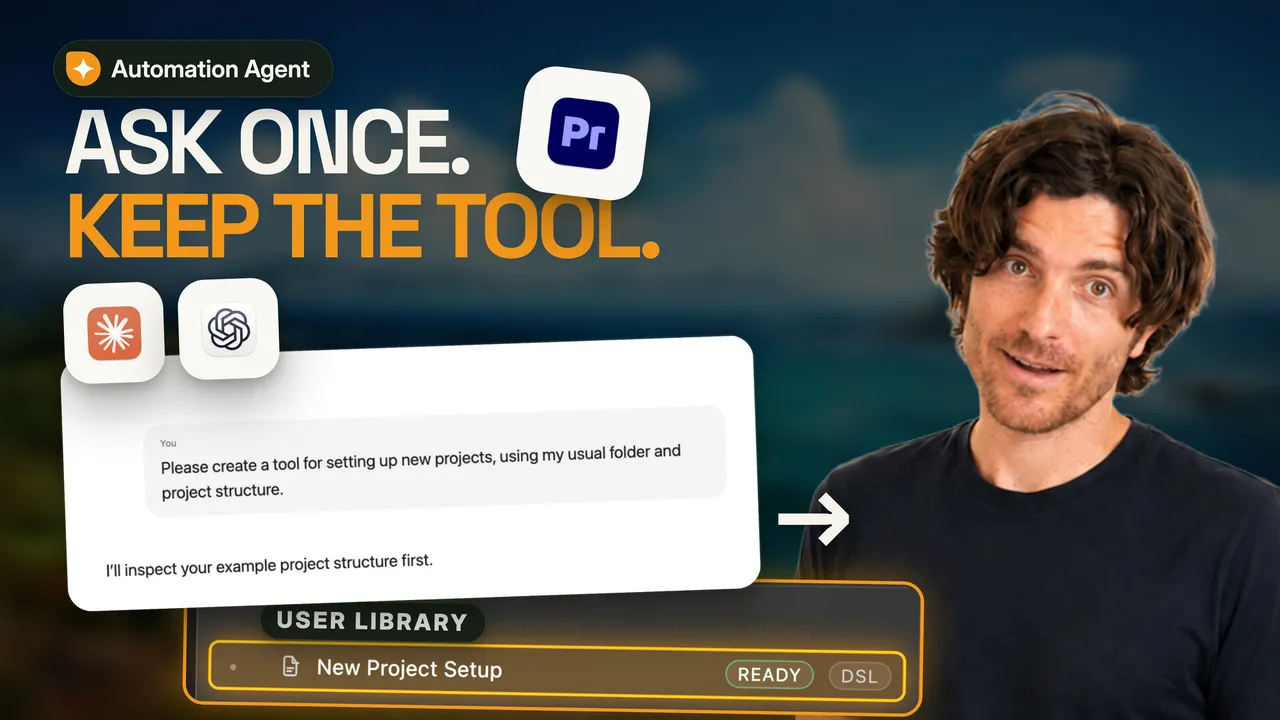
Teaser video: Ask once, keep the tool.▶ Watch the 2-minute overview1:53 (opens YouTube)

One panel, three ways in

Start with ready-made tools. Add your AI when you want more.

Run a ready-made workflow

Pick a tested tool, read what it needs, run it and review the result in Premiere. Some tools need no AI account at all.

Ask for a one-off job

Describe a task to your AI in the ChatGPT or Claude desktop app. It works in Premiere for you, within the permissions you set.

Keep what worked

Ask your AI to turn a solved job into a saved workflow. Next time you start it from your own Library, without a new conversation.

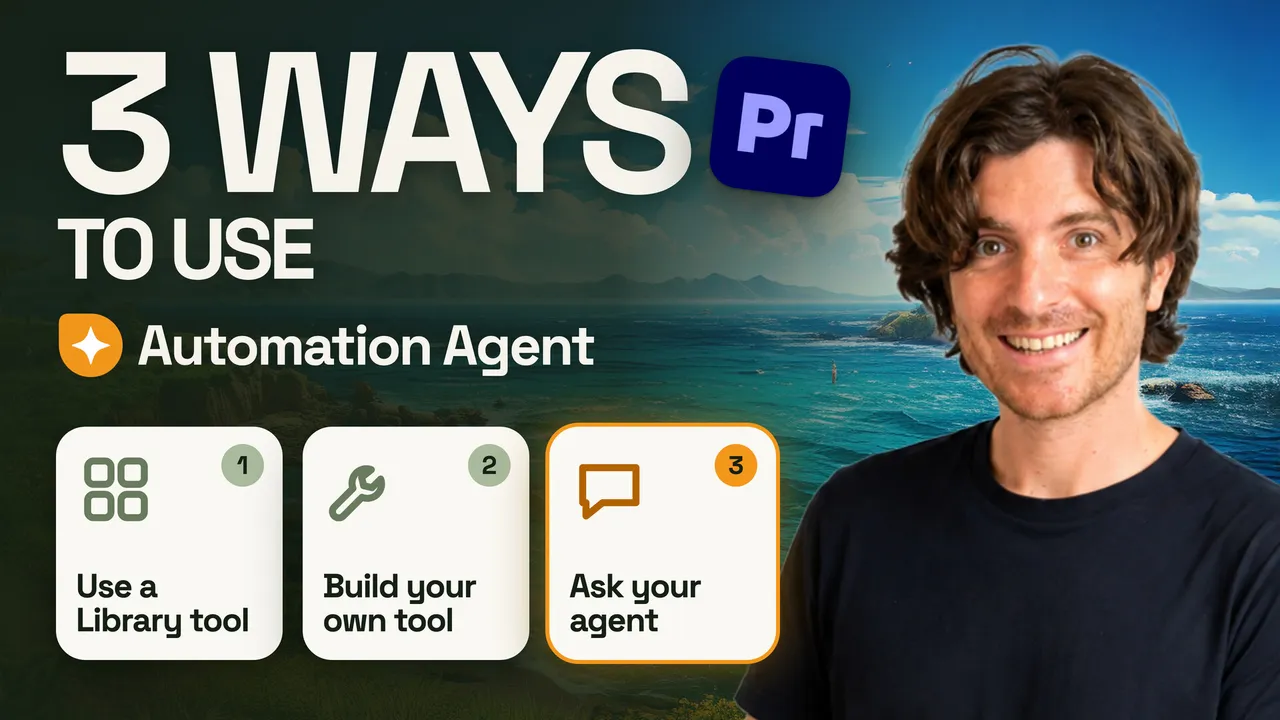
Video: 3 ways to use Automation Agent.▶ Watch: 3 ways to use Automation Agent3:20 (opens YouTube)

How the three ways fit together

Guided Setup, a wedding project that turns into a reusable tool, and why a saved workflow only calls AI for the step that needs judgment.

Mon · New client project

“New wedding on Saturday. Same template, new names.”

Interactive AI session → your tools

You say
Create the project from my wedding template, then rename the folder, project and main sequence for this couple. Then: turn this into a reusable tool.
You need
A ChatGPT or Claude account. Guided Setup connects the desktop app once.
You check
The new folder, the opened project, the renamed sequences.

How to create and save your own tools (opens docs.mamoworld.com)

Step by step
  1. AI sessionInspects your template project
  2. AutomatedCopies folder, renames project and sequences
  3. AI sessionSaves the steps as a workflow
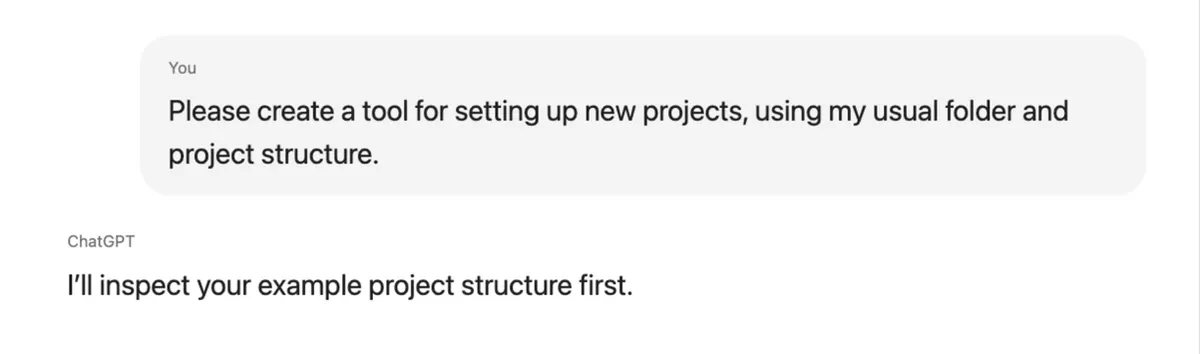
Chat: Please create a tool for setting up new projects, using my usual folder and project structure. The assistant answers that it will inspect the example project first.
The request, as recreated for the overview video.
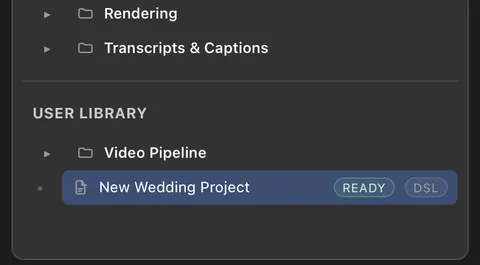
Automation Agent Library: under User Library, the new tool New Wedding Project marked Ready.
The result appears in your own Library section.

Tue · Interview footage

“Two hours of interview. The client wants a five-minute teaser.”

Library · Create Spoken-Content Rough Cut

You give
Selected clips or bins, plus a short brief: length, story, what must stay in.
You need
Clips transcribed in Premiere and a ChatGPT or Claude account, connected once in AI Setup.
You check
A new sequence with markers that explain the selection. Your source clips stay untouched.

Recipe: Spoken-Content Rough Cut (opens docs.mamoworld.com)

Step by step
  1. AutomatedCollects transcripts and timing
  2. AI taskChooses a story path from your brief
  3. AutomatedValidates and builds the sequence
  4. YouTrim, reorder, decide
Rough cut dialog field Editorial brief: Cut a 5-minute teaser with the most surprising moments.
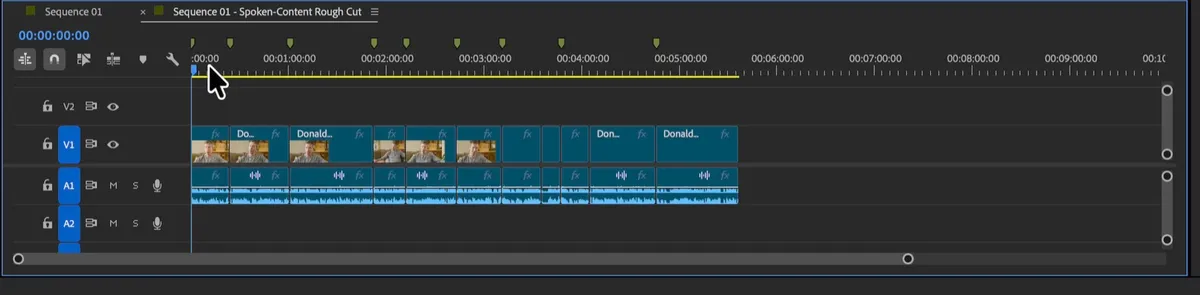
Premiere timeline: new sequence named Spoken-Content Rough Cut with interview clips and review markers.
A proposal you edit, not a finished cut.

Wed · Privacy pass

“Street footage. The bystanders must not be recognizable.”

Library · Pixelate Faces In Active Sequence

You need
No ChatGPT or Claude account and no other AI service.
How
A local face-detection model finds and tracks faces on your machine.
You check
Ordinary clips with Mosaic and keyframed Crop. Fix a missed face like any other clip.

Recipe: Pixelate Faces (opens docs.mamoworld.com)

Step by step
  1. AutomatedExports small analysis frames
  2. AutomatedDetects and tracks faces locally
  3. AutomatedBuilds editable pixelation clips
  4. YouReview the detections
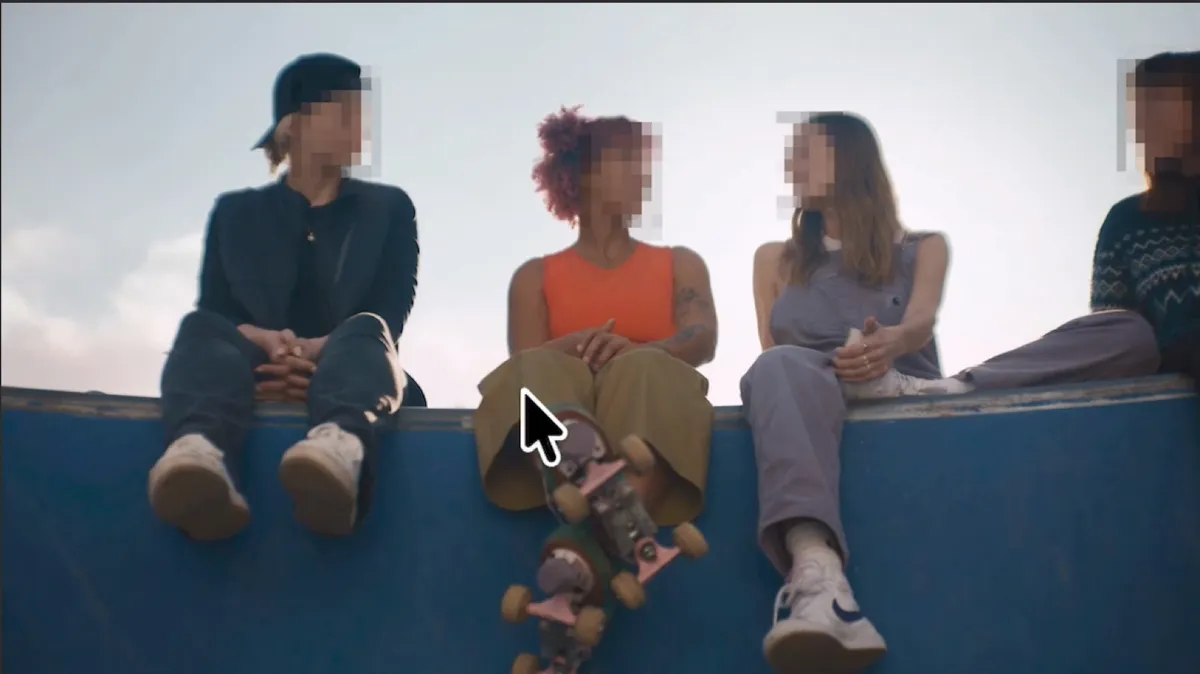
Four people sitting on a skate ramp, each face pixelated in the Premiere Program Monitor.
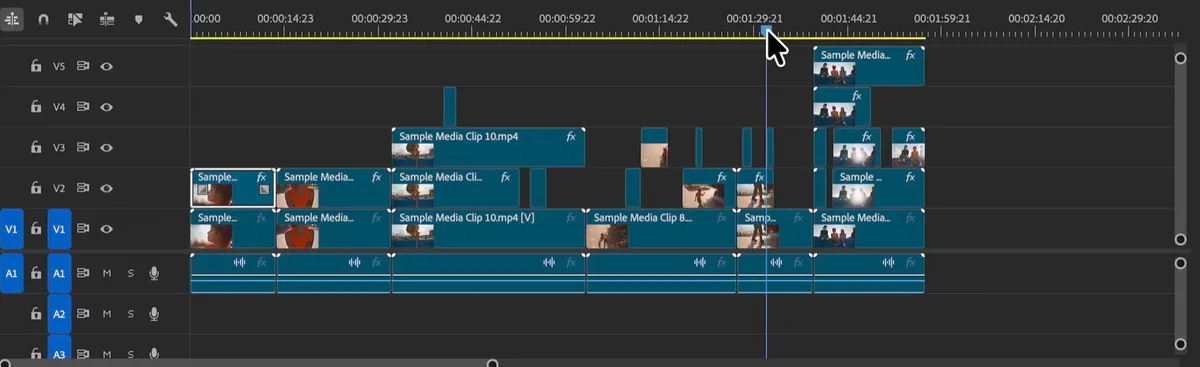
Premiere timeline with pixelation clips stacked on video tracks V2 to V5 above the original clips.
The result is regular timeline clips.

Thu · Publishing

“Upload day. The video needs chapters.”

Library · Create YouTube Chapters From Active Sequence

Why AI
Deciding where a topic changes needs judgment. Reading the transcript and creating markers does not.
You need
A ChatGPT or Claude account, connected once in AI Setup.
You check
Chapter markers on the sequence and matching chapter text to copy.

Recipe: YouTube Chapter Markers (opens docs.mamoworld.com)

Step by step
  1. AutomatedReads the transcript with timing
  2. AI taskProposes chapter points and titles
  3. AutomatedChecks the answer, sets the markers
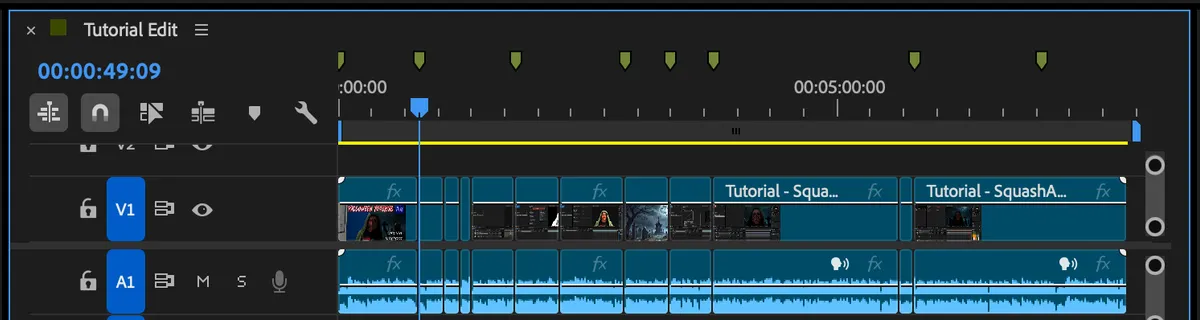
Premiere timeline of a tutorial edit with eight chapter markers along the time ruler.
Eight chapter markers on the edited sequence.
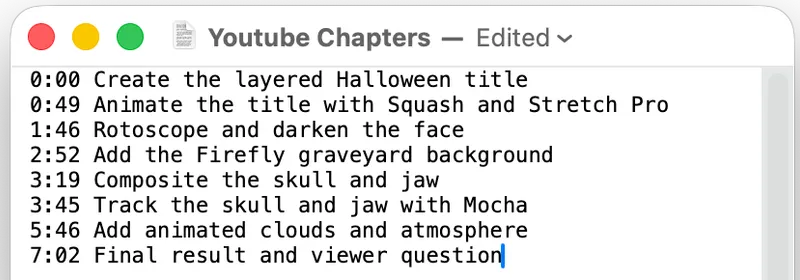
YouTube chapter lines from 0:00 Create the layered Halloween title to 7:02 Final result.
The matching chapter text for the YouTube description.

Fri · Feedback round

“The client’s feedback just came in by email. I want it on the timeline.”

Interactive AI session · one-off, no tool needed

Why live
Every client sends notes differently. Your AI reads whatever arrives, so this job needs no fixed tool.
Control
You decide what your AI may read and change, for example markers only and no clip edits.
You check
One marker per note at the right time, with the client’s note as its comment.

How interactive AI sessions work (opens docs.mamoworld.com)

Step by step
  1. AI sessionReads the pasted feedback
  2. AI sessionPlans one marker per note
  3. AutomatedAdds the markers within your permissions
  4. YouDiscuss the notes in context
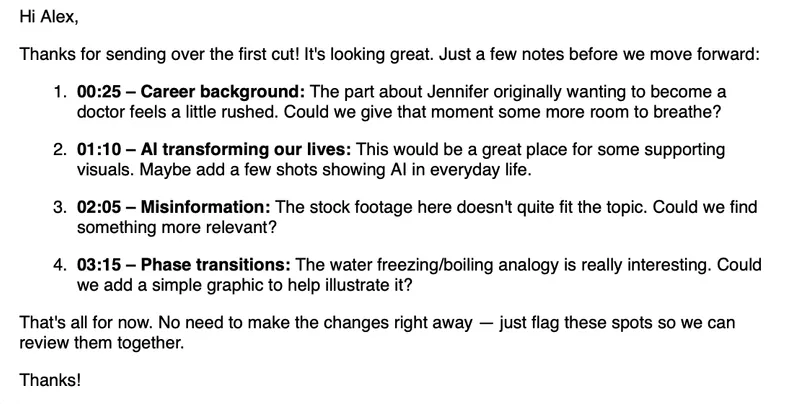
Client email with four numbered notes with timecodes.
The client’s email, pasted as is.
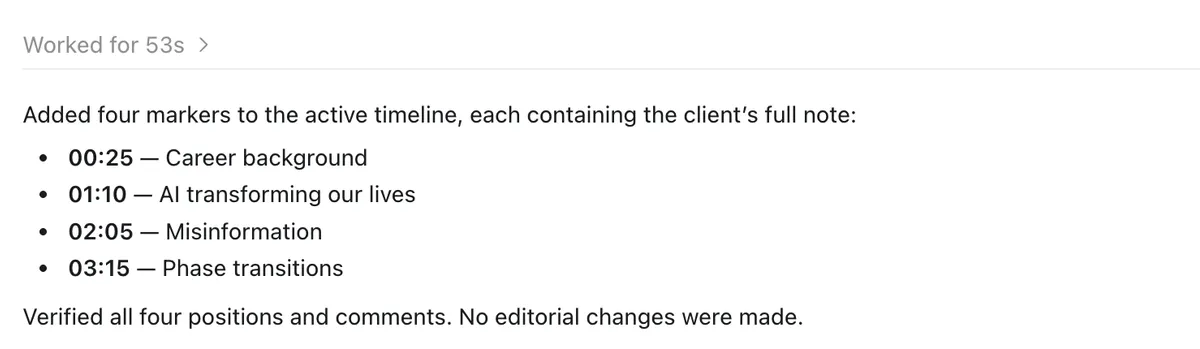
The ChatGPT desktop app replies: Added four markers to the active timeline, each containing the client’s full note. No editorial changes were made.
The reply in the ChatGPT desktop app.
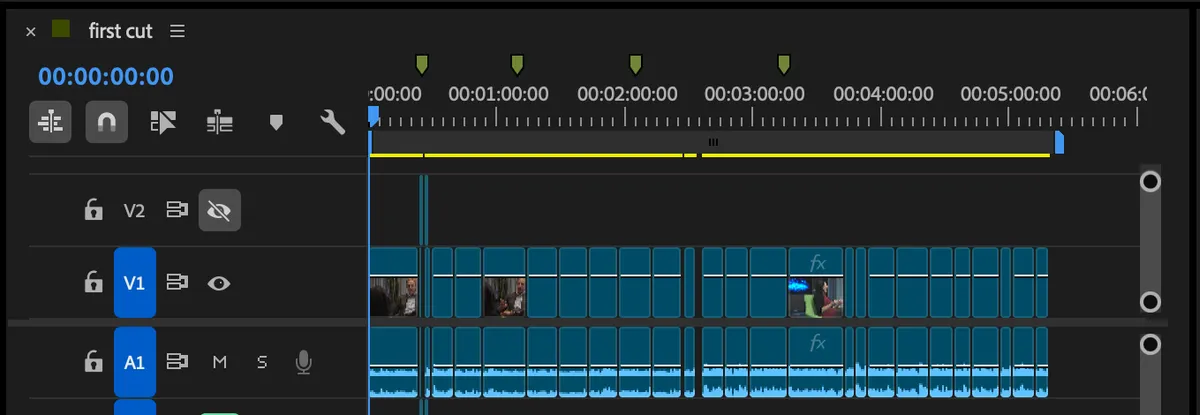
Premiere timeline of the first cut with four review markers.

Next Mon · Another project

“Another wedding. Different couple.”

Your tools · New Wedding Project, saved last Monday

You do
Start the tool from your Library and enter the names.
You skip
Explaining the job again. The saved workflow runs the same reviewed steps each time.
Later
Need a change? Ask your AI to adapt the saved tool.
Step by step
  1. YouEnter the couple’s names
  2. AutomatedCopy template folder
  3. AutomatedRename project and sequences
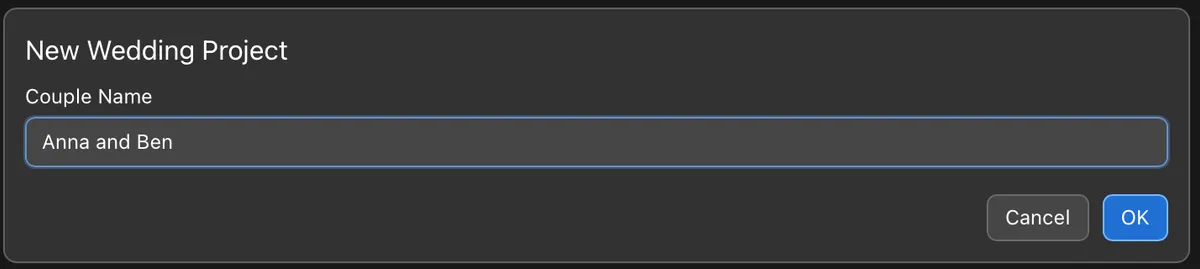
Dialog New Wedding Project with the field Couple Name filled in as Anna and Ben.
All the saved tool asks for.
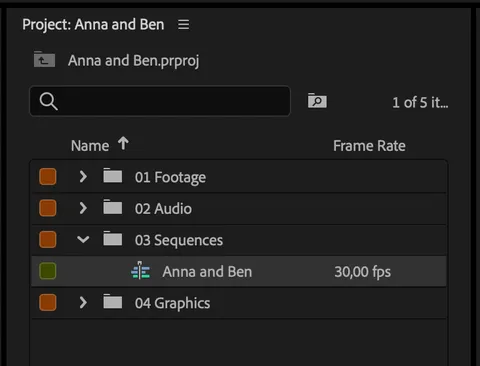
Premiere Project panel of the new project Anna and Ben with the same folder structure.
Same structure as last Monday, new names.

Monday’s conversation became a tool. That is the idea behind Automation Agent: use AI where it adds judgment, and keep everything else repeatable.

That was one week

Six examples. Many more workflows.

Browse all workflow recipes (opens docs.mamoworld.com)

Transcripts & captions

Find words and moments, proofread and translate transcripts, SRT tools.

Editing

Repeated-takes comparison, assemble from script, place clips from a spreadsheet.

Finishing

Reconstruct an edit from a reference, scene edit detection, match framing.

Privacy

Pixelate faces in the active sequence.

Publishing & social

YouTube chapters, highlight and teaser moments.

Quick timeline actions

Track solo and clip toggles for shortcuts or a Stream Deck.

Your first session

Two ways to get going.

Explore what is ready

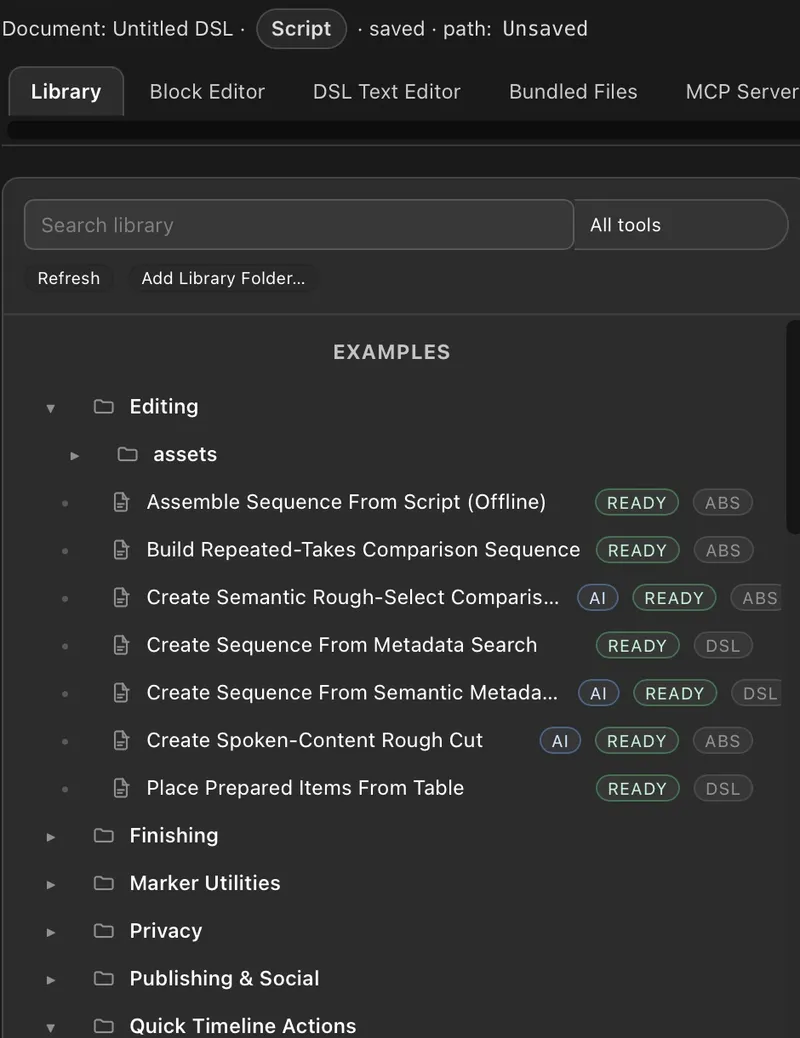
  1. Open the Library tab in the Automation Agent panel.
  2. Optional: filter by No AI required to see the tools that run without ChatGPT or Claude.
  3. Read the description and requirements, then run.
  4. Review the result in Premiere.
Automation Agent Library with example tools such as Create Spoken-Content Rough Cut, each marked Ready.

If a tool needs extra local components, Automation Agent offers to install them with one click the first time.

Connect your AI tools

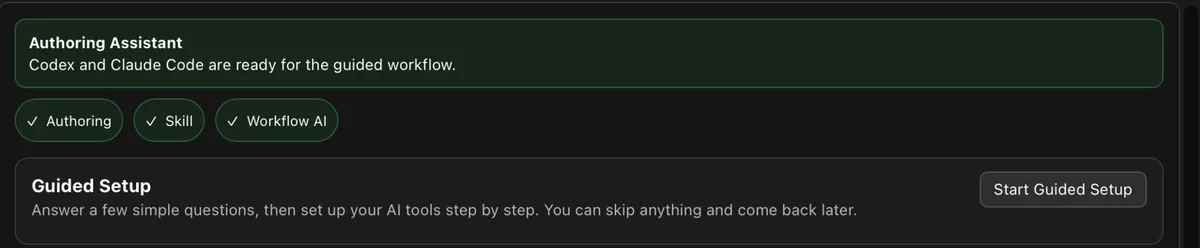
  1. Open AI Setup and click Start Guided Setup.
  2. Choose what you have: OpenAI / ChatGPT, Anthropic / Claude or a local model.
  3. Follow the steps it shows, then test the connection.
AI Setup tab with a Guided Setup section and a Start Guided Setup button.

Guided Setup finds some installations by itself and walks you through the rest. Depending on the tool you may still install an app, sign in, grant permissions or restart.

Where AI comes in

Two jobs for AI, and plenty of steps without it.

A saved workflow is a list of automated steps you can open and review. In an interactive session, your AI can write or change that list. A workflow can also hand one defined task to an AI and check the answer.

The AI you talk to

Inspects your project, solves one-off jobs and builds or adapts workflows. You work in the ChatGPT or Claude desktop app.

writes and edits →

Create YouTube Chapters

  1. Read transcript with timing
  2. Propose chapter points
  3. Validate the answer
  4. Create sequence markers

Runs from the Library. Later runs need no interactive session.

The AI a workflow calls

Gets one clearly defined question and returns an answer, which the workflow checks before using it. Uses your ChatGPT or Claude account in the background, or a local model for suitable tasks.

← answers one task

You stay the editor

Results you can see, check and change.

Regular Premiere results

Sequences, clips, effects and markers you edit like anything else.

New, not overwritten

Tools like the rough cut build a new sequence and leave your input as it was.

Permissions you set

Allow or block reading and writing in Premiere and on disk, per workflow or session.

Readable steps

Open any saved workflow in the visual block editor to see what it does before you run it.

Your data

You decide what leaves your computer.

  • mamoworld does not receive your media, transcripts or project data, and Automation Agent has no cloud AI of its own.
  • Many tools need no AI at all. Ready-made AI workflows send only the text a task needs, such as transcript excerpts, never your video or audio files.
  • Working with confidential material? Connect a local model and keep AI processing on your own hardware.
What is processed where (opens docs.mamoworld.com)

For teams

Your workflow is special? We build it with you.

Most editors get going on their own. When a team wants a recurring process automated, local AI only, or a hands-on training, we help with workflow analysis, prototypes, custom automation and team training.

Premiere workflow automation services

Before you buy

Plain answers.

Which Premiere version?

Adobe Premiere 26.5 or newer on macOS or Windows. Windows on ARM is untested and some tools will not run there. Not sure about your system? The 10-day trial is fully functional.

Do I need ChatGPT or Claude?

Not for every tool. Many Library workflows run without an AI account. Tools marked AI need a connected AI for their AI task, and building your own tools needs a supported AI tool for interactive sessions.

Do I need an API key?

No API key and no developer account. Automation Agent uses the ChatGPT or Claude subscription you may already have, through their desktop apps. Local models are an option for suitable workflows.

Does everything run offline?

Tools without an AI task run locally on your machine. AI tasks run wherever your chosen AI runs, in the cloud or locally.

License and trial?

A permanent license, no subscription. Try it first with a fully functional 10-day trial.

Already own Automation Blocks for Premiere?

You get a special upgrade price. Buy with the same aescripts account you used for Automation Blocks, and the upgrade price is shown automatically.

Start with the Library. Build your own when you’re ready.

Buy or try free for 10 days (opens aescripts.com)Watch the overview (opens YouTube)